 nisshi-dev
A Comprehensive Guide to 3D Data Formats for the Web
Translation Note
This article was translated from Japanese with the help of Claude Opus 4.6. For the original content, please refer to: Web3Dで主に扱うデータ形式まとめ
Introduction
Hi, I'm nisshi, and I run a community called WebXR JP.
I've recently been implementing various 3D model viewer embeds for this personal blog.
Since it was a good opportunity, I decided to put together a comprehensive overview of common 3D data formats used on the web, along with useful libraries for the three.js / R3F (React Three Fiber) ecosystem.
I'd be happy if this helps web engineers who aren't too familiar with 3D understand that you can code 3D scenes declaratively.
.glb - The JPEG of 3D
glTF (GL Transmission Format) is a standard format for Web3D, developed by Khronos Group — the same organization behind the WebGL specification. It's a JSON-based format for representing 3D models and scenes.
.glb is the binary version of glTF, which bundles textures and animations into a single file.
Often called "The JPEG of 3D" due to its lightweight nature, it's the de facto standard for handling typical 3D models (specifically mesh models) on the web. It's also the recommended format in the official three.js documentation.
While .gltf stores textures (images that define a 3D model's appearance) and vertex data as separate files, .glb packages everything into a single binary file.
In cases where multiple models share the same textures, the split .gltf format can be more efficient, but .glb is lighter in most cases (as noted by three.js maintainer Don McCurdy).
If you want to render a 3D model (mesh) created in Blender or similar tools on the web, exporting to .glb format is generally the safe choice.
model-viewer
If you simply want to display a .glb model on the web, Google's model-viewer makes it easy.
model-viewer is a library developed by Google that lets you display 3D models and enable AR viewing using just HTML tags. It automatically handles things like lazy loading and caching that can be tedious when working with 3D models, making it very easy to adopt.
npm install model-viewer<model-viewer
src="/models/sample.glb"
alt="3D model"
auto-rotate
camera-controls
></model-viewer>There's also an official GUI-based editor tool for easily adjusting model-viewer parameters. It's handy for seeing what parameters are available.
Space suit 3D model (from NASA 3D Resources)
Additionally, a separate library is available for easily adding effects like Bloom and Outline.
model-viewer itself is built on three.js. However, when working with TypeScript, official type definitions aren't currently provided, so you'll need to create your own. The following discussion thread shares sample type definitions that you can use as a reference.
With model-viewer, simply adding the ar attribute enables AR display on iOS/Android.
By default, AR is rendered using Scene Viewer on Android and Quick Look on iOS.
If you specify webxr in the ar-modes attribute, AR mode also works on WebXR AR-compatible devices (such as Meta Quest 3).
<model-viewer
  src="/models/sample.glb"
  alt="3D model"
  auto-rotate
  camera-controls
  ar
  ar-modes="webxr scene-viewer quick-look"
></model-viewer>
Note that iOS AR display (Quick Look) requires .usdz format instead of .glb. While the documentation states that USDZ is auto-generated even if ios-src is omitted, there are issues reported where this doesn't work reliably, so I recommend explicitly specifying the .usdz file path in the ios-src attribute (more on .usdz below).
Scene Viewer
Scene Viewer is an AR display feature developed by Google, available on Android devices that support ARCore.
R3F
While model-viewer is convenient, it's difficult to customize beyond what's provided in the documentation — things like applying custom shaders or controlling AR mode behavior. When you need more functionality, you'll want to load models using useGLTF from @react-three/drei and build your scene from there.
import { Canvas } from "@react-three/fiber";
import { useGLTF } from "@react-three/drei";
import { Suspense } from "react";

function Model() {
  const { scene } = useGLTF("/models/sample.glb");
  return <primitive object={scene} />;
}

export default function App() {
  return (
    <Canvas>
      <ambientLight />
      <Suspense fallback={null}>
        <Model />
      </Suspense>
    </Canvas>
  );
}By the way, the useGLTF provided by drei is a thin wrapper around R3F's useLoader, with added Draco / Meshopt decoder configuration.
// @react-three/drei - src/core/Gltf.tsx
// https://github.com/pmndrs/drei/blob/c9d3d0dc9473f026c83965a7eb8c7f7a1a1bf0ae/src/core/Gltf.tsx#L32
const useGLTF = (path, useDraco, useMeshopt, extendLoader) =>
  useLoader(GLTFLoader, path, extensions(useDraco, useMeshopt, extendLoader));
useLoader has built-in caching and Suspense integration, so make good use of it when loading 3D assets in R3F.
.usdz - Format for Apple AR
.usdz (Universal Scene Description Zip) is a format that packages USD into an uncompressed Zip file.
Originally, USD was a format developed by Pixar for 3D scenes, and USDZ is the version optimized for 3D and AR by Apple and Pixar together.
It can embed not just 3D data like textures, materials, and bones, but also audio and video as files.
USD itself is an open standard that anyone can review. However, some Apple-specific extensions to USDZ — such as audio guides and animations — aren't publicly documented, so it's not entirely open.
3D tools like Blender support .usdz export by default, so converting existing 3D models to .usdz is straightforward.
Also, on iPhones with LiDAR, you can 3D scan and create .usdz files using Apple's Reality Composer app.
Quick Look
With Apple's Quick Look feature, you can view .usdz files in AR on iPhone, iPad, and Apple Vision Pro. (Mac is not supported.)
Viewing an official sample on iPadOS
You can implement it simply by wrapping an a element with the rel="ar" attribute, as shown below.
<a rel="ar" href="/models/sample.usdz">
  <img src="/models/sample-thumbnail.jpg" />
</a>On supported devices, an AR button appears in the bottom right. On unsupported devices, clicking downloads the .usdz file.
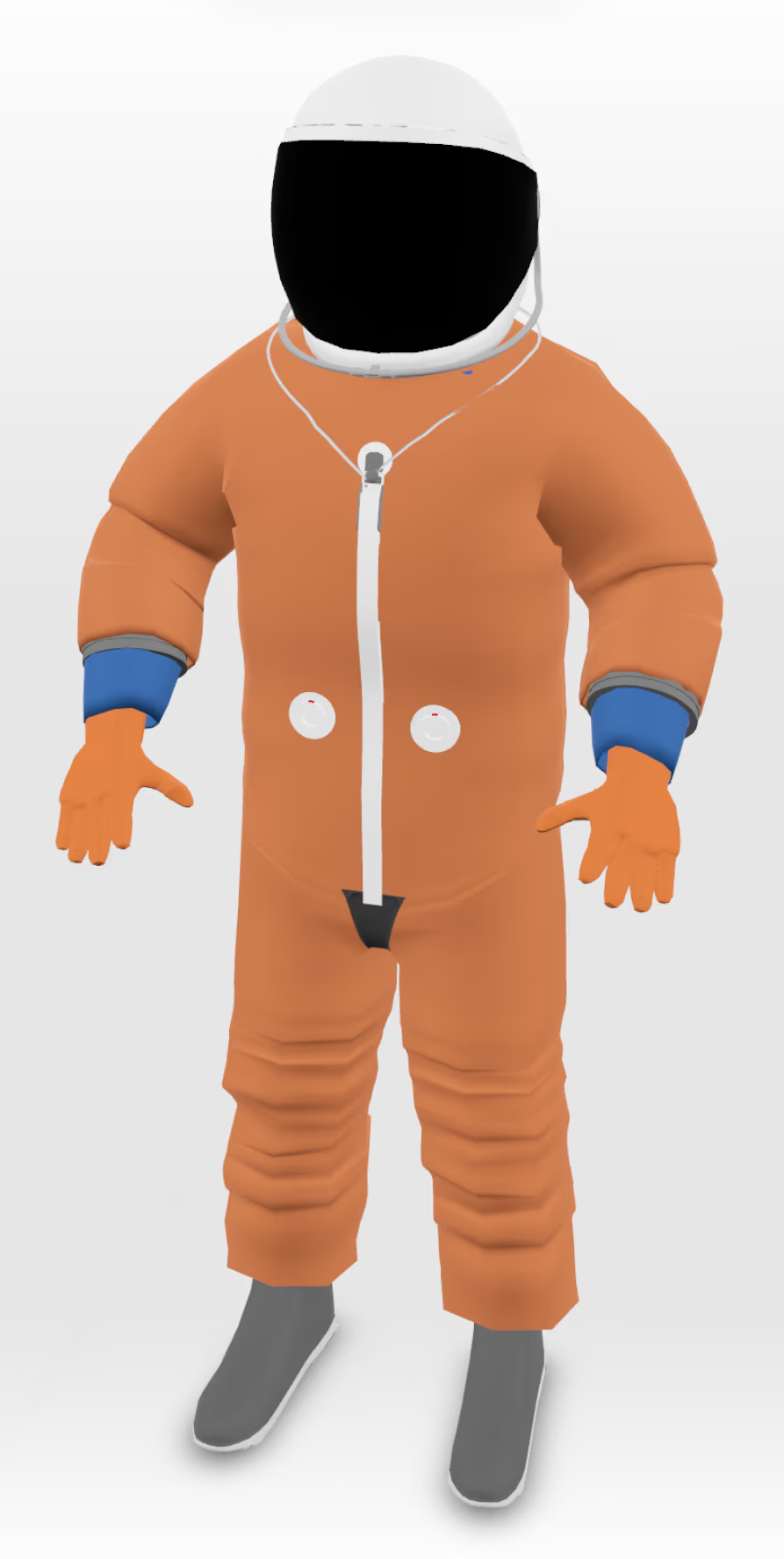
Space suit 3D model (from NASA 3D Resources)
Apple's Quick Look Gallery showcases an example where Metropolitan Museum exhibits are displayed in AR using USDZ with audio guides.
.vrm - Format for Avatars
VRM is a .glb-based 3D format for avatars, developed by pixiv Inc.
It features avatar-specific capabilities such as a standardized bone structure, facial expressions, and physics simulation for hair and accessories (SpringBone), along with the ability to embed license information directly into the format.
The latest VRM specification is VRM 1.0, but it hasn't fully spread through the community yet, and many applications still only support VRM 0.x. Since there are many breaking changes between versions, make sure to decide which version to target before implementation.
@pixiv/three-vrm
This is pixiv's official VRM loader for Three.js. It supports both VRM 0.x and 1.0.
npm install @pixiv/three-vrmimport { Canvas, useFrame, useLoader } from "@react-three/fiber";
import { Suspense } from "react";
import { VRM, VRMLoaderPlugin } from "@pixiv/three-vrm";
import { GLTFLoader } from "three/addons/loaders/GLTFLoader.js";
function VRMModel({ url }: { url: string }) {
const gltf = useLoader(GLTFLoader, url, (loader) => {
loader.register((parser) => new VRMLoaderPlugin(parser));
});
const vrm = gltf.userData.vrm as VRM;
// Update every frame (for physics like SpringBone)
useFrame((_, delta) => {
vrm.update(delta);
});
return <primitive object={vrm.scene} />;
}
export default function App() {
return (
<Canvas>
<ambientLight />
<Suspense fallback={null}>
<VRMModel url="/models/avatar.vrm" />
</Suspense>
</Canvas>
);
}VRM avatar (with SpringBone physics)
.sog - 3DGS Format
Gaussian Splatting (3DGS) is a new 3D representation technique introduced in 2023.
Unlike traditional mesh-based 3D, it represents scenes by placing a large number of point clouds. It can generate 3D scenes from photos and videos and excels at photorealistic rendering.
You can easily capture scenes using smartphone apps like Scaniverse, and iPhones with LiDAR sensors enable higher-precision scanning.
Most 3D scanning tools output in .ply format, but since file sizes are large, compressed formats like .spz (by Niantic) or .sog (by PlayCanvas) are used for web delivery. PlayCanvas' splat-transform tool is handy for conversion.
Note that Khronos Group is working on integrating Gaussian Splatting into glTF, so the optimal format may change in the future.
Spark
Spark is a Gaussian Splatting renderer for Three.js that supports nearly all splat formats, including .sog and .spz.
npm install @sparkjsdev/sparkimport { Canvas, extend, useThree } from "@react-three/fiber";
import {
SparkRenderer as SparkRendererImpl,
SplatMesh as SplatMeshImpl,
} from "@sparkjsdev/spark";
import { useMemo } from "react";
const SparkRenderer = extend(SparkRendererImpl);
const SplatMesh = extend(SplatMeshImpl);
function Scene({ url }: { url: string }) {
const renderer = useThree((state) => state.gl);
const sparkRendererArgs = useMemo(() => ({ renderer }), [renderer]);
const splatMeshArgs = useMemo(() => ({ url }), [url]);
return (
<SparkRenderer args={[sparkRendererArgs]}>
<SplatMesh args={[splatMeshArgs]} />
</SparkRenderer>
);
}
export default function App() {
return (
<Canvas>
<Scene url="/models/scene.sog" />
</Canvas>
);
}Official R3F samples are also available.
Workshop scene captured with Gaussian Splatting
Other Data Formats
Beyond the formats introduced so far, here are a few more data formats used in Web3D.
Panorama Images
Panorama images are stored as regular .jpg/.png files, but there are several types based on their projection method.
- Equirectangular: Represents a full 360° × 180° sphere in a 2:1 aspect ratio. This is the format used by 360° cameras like Insta360
- Cylindrical: Covers only horizontal 360° with limited vertical range. iPhone's panorama mode uses this format
Here are examples of each panorama format displayed as-is.
Equirectangular images show significant distortion at the top and bottom since they unfold a sphere onto a flat surface, while Cylindrical images only represent the horizontal direction and therefore have no distortion.
For details on the differences between projection types, the following articles illustrate the process of unfolding a sphere onto a flat surface.
Photo Sphere Viewer
A three.js-based panorama viewer library. For React, react-photo-sphere-viewer is available.
npm install @photo-sphere-viewer/core react-photo-sphere-viewer"use client";
import { ReactPhotoSphereViewer } from "react-photo-sphere-viewer";
export default function App() {
return (
<ReactPhotoSphereViewer
src="/images/panorama.jpg"
height="100vh"
width="100%"
/>
);
}Here are examples displayed in the panorama viewer. You can drag to look around.
Equirectangular format - look around in all directions (image source: Free Skybox)
Cylindrical format - look around horizontally only (shot with iPhone)
VR180 / VR360 Video
VR video applies the same projection methods as panorama images to video, with VR metadata embedded in .mp4/.webm format.
- VR360: Captures a full 360° all around you. You can look everywhere
- VR180: Captures only the front 180°. Most support stereo (stereoscopic 3D), offering higher video quality during VR playback
There don't seem to be many libraries for VR video playback in the three.js / R3F ecosystem, but it can be implemented using the same principles as panorama image display.
Below is an example of a VR180 video in SBS (Side-by-Side) format — the raw footage, followed by the result projected onto a hemisphere.
VR180 video in SBS format (left eye and right eye images side by side)
VR180 video (drag to look around, click to play/pause)
The viewer above was implemented with the following approach:
- Create a 180-degree hemisphere using Three.js's
SphereGeometryand apply the video as a texture withVideoTexture - Since SBS format has left-eye and right-eye images side by side, adjust the UV coordinates to map only one eye's half (the left half) onto the hemisphere (on a VR headset, each half would be sent to each eye for stereoscopic 3D, but on a regular screen, one eye's perspective is sufficient)
Spatial Video
I'm not very familiar with spatial video, so I'll just provide a brief introduction.
Spatial Video is a video format that can be captured on iPhone 15 Pro and later or Apple Vision Pro, using the MV-HEVC (Multiview HEVC) codec.
In visionOS 26, Safari appears to support playback of spatial video, 180°, and 360° video using just the standard <video> tag.
3D City Models - WebGIS
This is quite different from the data formats we've covered so far, but 3D urban spatial models are another form of 3D representation.
When displaying large-scale 3D geospatial data on the web, the 3D Tiles specification is commonly used. It was developed by Cesium and is now an OGC (Open Geospatial Consortium) standard.
3D Tiles isn't a 3D model format like .glb — it's a system for delivering large amounts of 3D data. Just like Google Maps loads detailed image tiles only for nearby areas when you zoom in, 3D Tiles applies this concept to 3D data: buildings close to the camera are loaded in high detail while distant ones are simplified (LOD: Level of Detail). In fact, Google Maps' 3D view is powered by 3D Tiles.
In Japan, the PLATEAU project led by the Ministry of Land, Infrastructure, Transport and Tourism publishes 3D city models for the entire country as open data, available in 3D Tiles format.
Major sources for 3D Tiles include Cesium Ion, a hosting service provided by Cesium, and Google Photorealistic 3D Tiles, generated from aerial photography.
CesiumJS and R3F Compatibility
CesiumJS is the most well-known library for working with 3D Tiles, but since it uses its own rendering engine, it doesn't play well with three.js / R3F.
If you simply need to render maps and city models, three.js's rendering engine includes a lot of unnecessary features, so GIS-specialized libraries like CesiumJS or deck.gl may be more appropriate.
However, most WebGIS libraries don't currently support WebXR, so if you want to work with city models in WebXR, rendering through three.js / R3F is the better approach.
3d-tiles-renderer
If you want to use 3D Tiles within an R3F project, NASA's 3d-tiles-renderer is available. It's a 3D Tiles loader built for three.js, so it operates within three.js's rendering pipeline.
It also provides declarative components for R3F, making it very easy to use.
npm install 3d-tiles-rendererimport { Canvas } from "@react-three/fiber";
import { TilesRenderer } from "3d-tiles-renderer/r3f";
export default function App() {
return (
<Canvas>
<ambientLight />
<TilesRenderer url="/tiles/tileset.json" />
</Canvas>
);
}Below is a demo of Tokyo's 3D city model (PLATEAU) hosted on Cesium Ion.
PLATEAU Tokyo 3D city model (Tokyo Tower area)
Next is a demo of Google Photorealistic 3D Tiles. Unlike PLATEAU, this is mesh data independently generated by Google from aerial and satellite imagery. It shows the same Tokyo Tower area, but with textures that closely resemble the actual scenery.
Google Photorealistic 3D Tiles 3D model (Tokyo Tower area)
Conclusion
I've covered the major data formats used in Web3D.
Apple's USDZ-based AR features include compelling capabilities like audio guides, and I'd love to see them become open and adopted by platforms like AndroidXR. However, since patents are involved in areas related to XR experience flows, it's not going to be straightforward.
With the launch of Project Aura — the world's first XR glasses powered by AndroidXR — this year, I have a feeling that Web3D, and by extension WebXR, is about to take off. I took this opportunity to organize the Web3D technologies that will be at the core of those use cases.
WebXR is still a developing field with many draft specifications. I hope to see this space continue to grow.
sawa-zen has written an excellent article that captures the current state and future of WebXR very well. If you're interested, I highly recommend checking it out.
About WebXR JP
I founded and run WebXR JP, a community where you can share and discuss WebXR technologies. If you're interested in learning about or discussing WebXR, feel free to join!
About Xrift
sawa-zen is developing and has released a WebXR metaverse built with R3F.
It's built on R3F, and users can create and publish their own worlds using R3F as UGC — the developer experience is great! Give it a try!
It features what is probably the world's most accurate three.js IK implementation, and community member Halby has built a VRM avatar optimization library. It's likely the world's greatest concentration of three.js/R3F expertise.
About gsplat.org
pera has also been developing a Gaussian Splatting sharing site built with three.js. Give it a try — it makes sharing really easy!